

UISP
This guide includes instructions for generating API keys for connecting UISP Network and UISP CRM to Layer 9.
Prerequisites
Section titled “Prerequisites”- Access to UISP Network with administrator privileges
- Access to UISP CRM with administrator privileges
- Ability to create API tokens in the UISP dashboard
Configuration Steps
Section titled “Configuration Steps”UISP Network
Section titled “UISP Network”Step 1: Navigate to User Settings
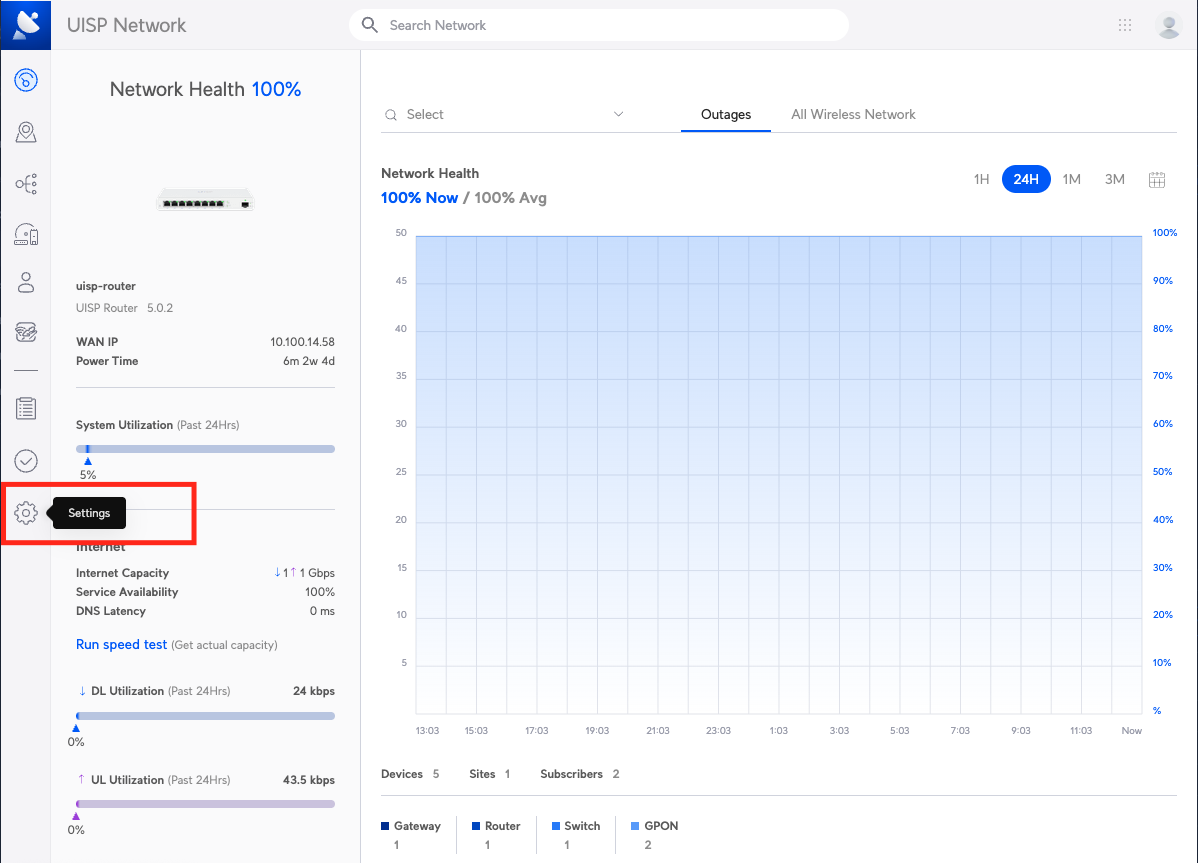
Section titled “Step 1: Navigate to User Settings”Navigate to the User Settings page by selecting the settings icon on the left-hand side of the page, then selecting Users.
Step 2: Create New API Token
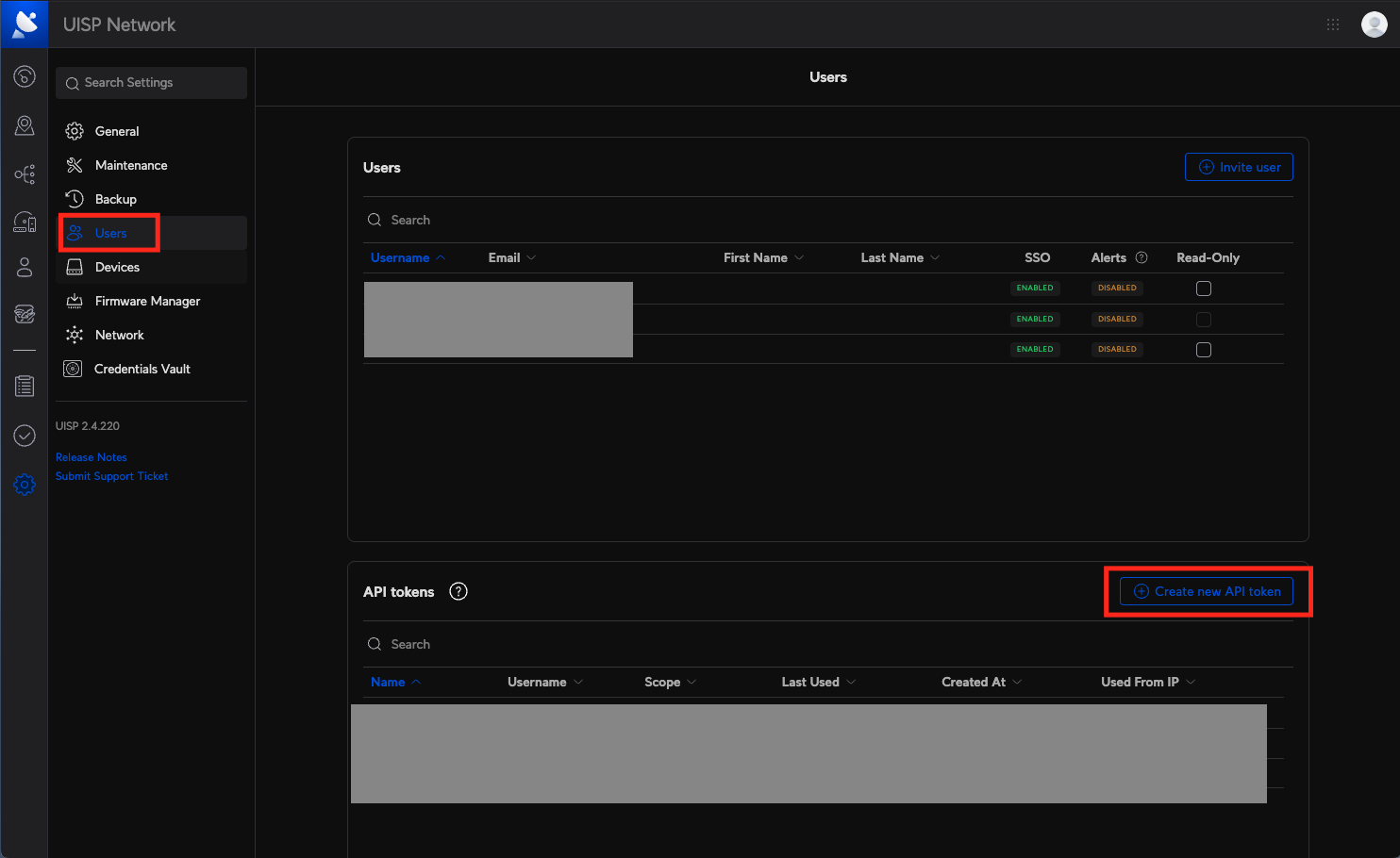
Section titled “Step 2: Create New API Token”On the User Settings page, select Create New API Token.
Step 3: Configure API Token
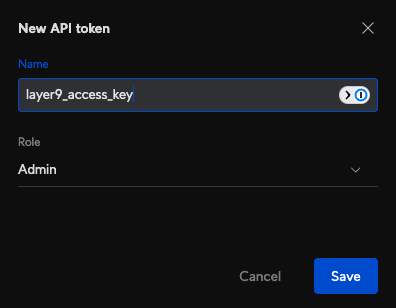
Section titled “Step 3: Configure API Token”Give the token a recognizable name and select the Admin role from the dropdown.
Step 4: Copy and Share API Token
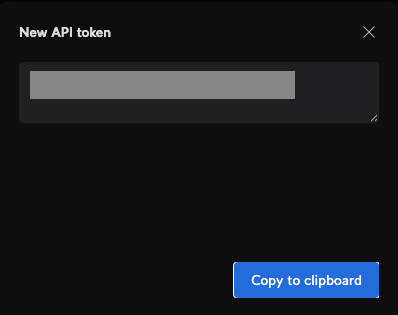
Section titled “Step 4: Copy and Share API Token”Copy the newly created API token and share it with the Layer Nine team.
Step 5: Share Additional Information
Section titled “Step 5: Share Additional Information”In addition to the API token, please share:
- The URL you use to access the UISP dashboard
- The type of deployment (self-hosted or cloud)
UISP CRM
Section titled “UISP CRM”Step 1: Navigate to Security Settings
Section titled “Step 1: Navigate to Security Settings”Open the Security tab from the settings menu.
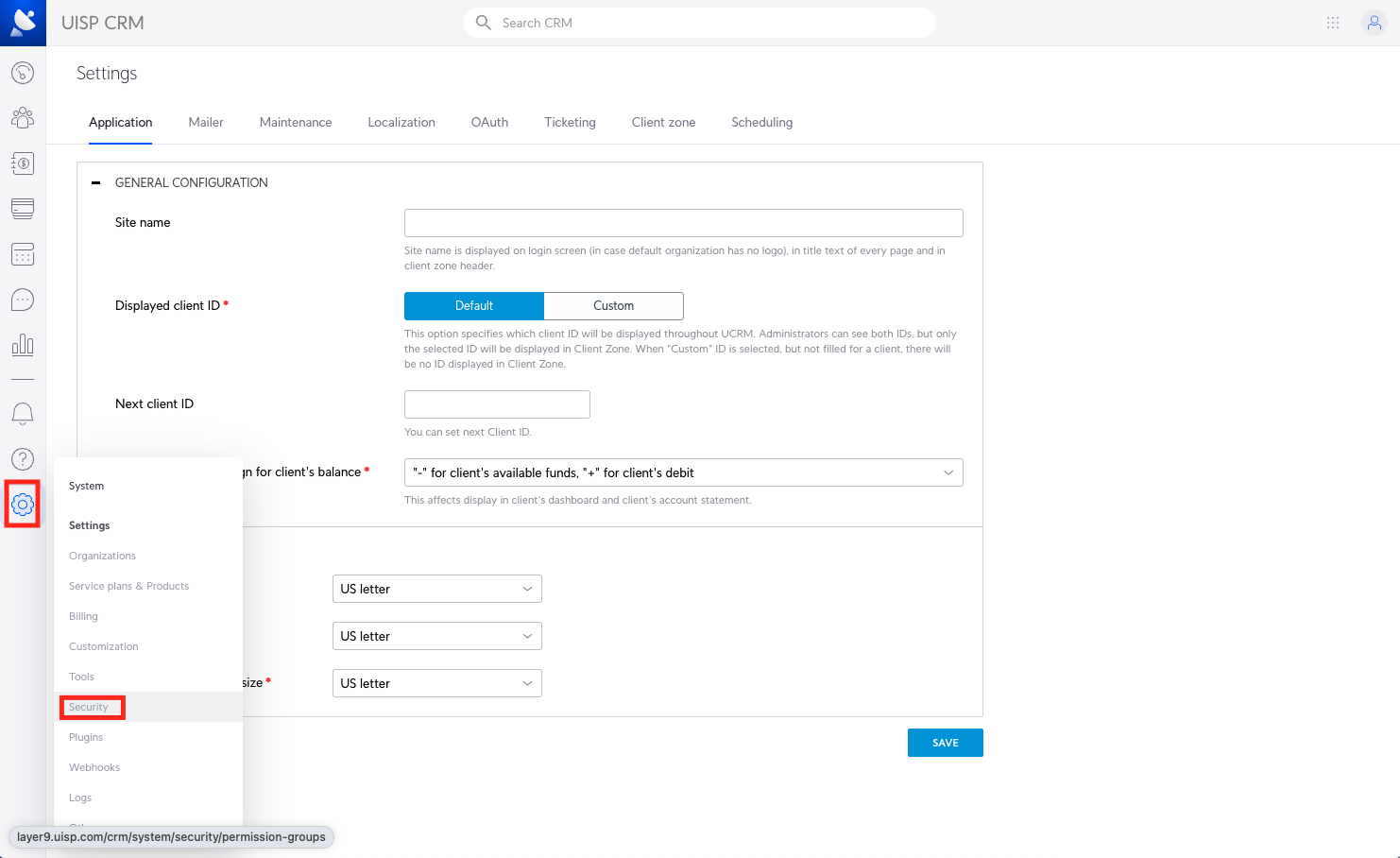
Step 2: Create New App Key
Section titled “Step 2: Create New App Key”Navigate to the App Keys tab and click the + App key button.
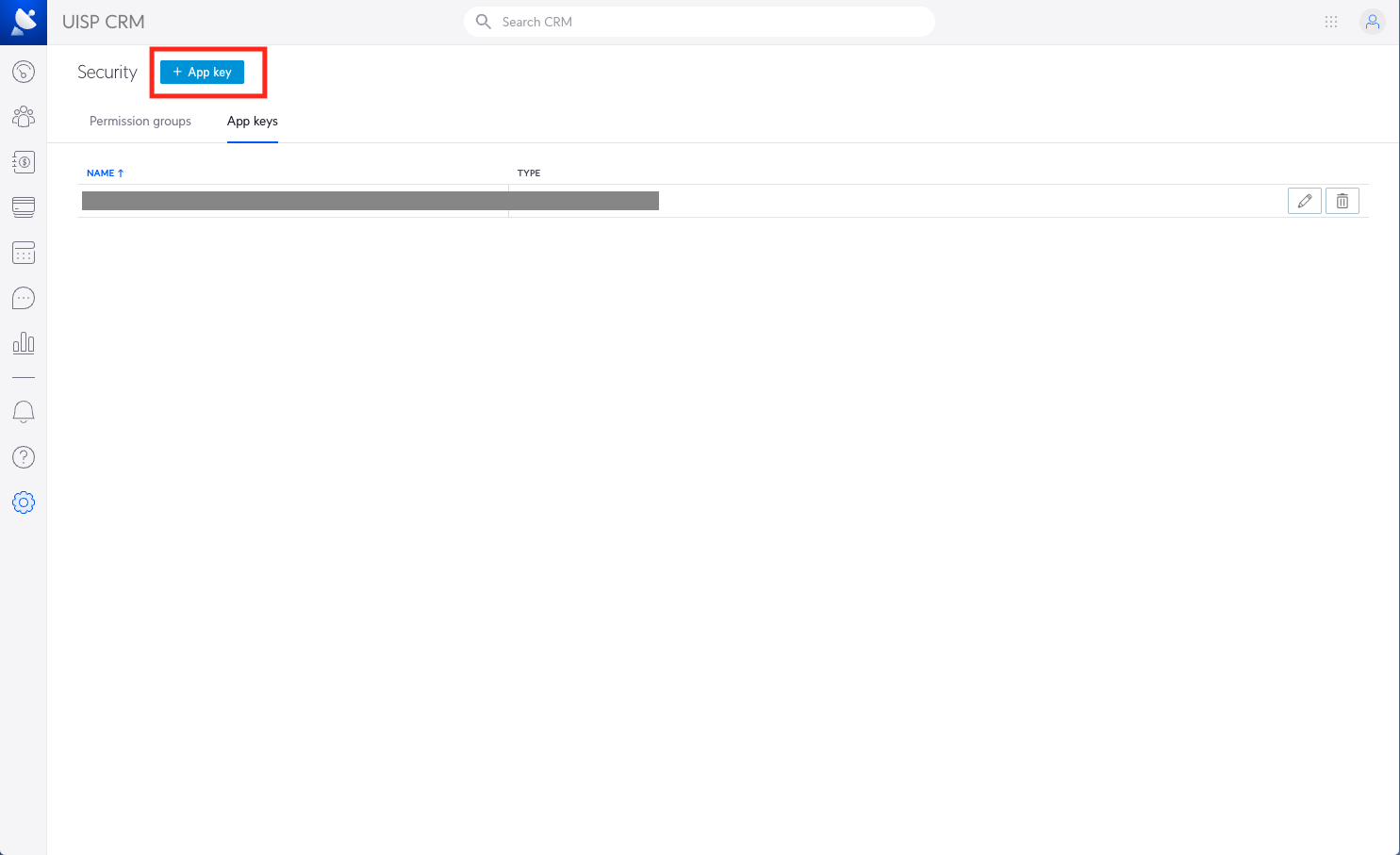
Step 3: Configure App Key
Section titled “Step 3: Configure App Key”Give the app key a memorable name. The app key type should be Write.
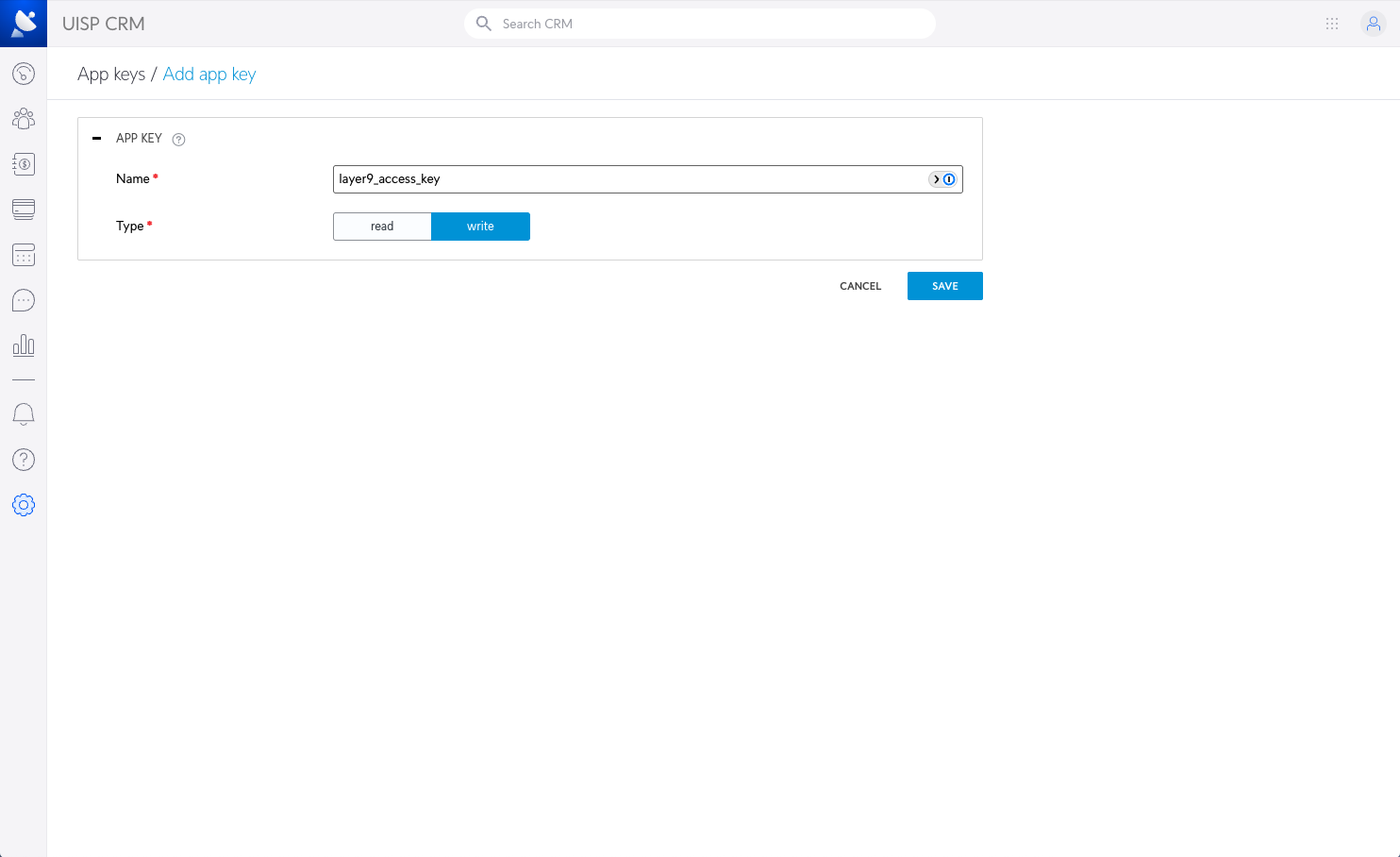
Step 4: Copy and Share App Key
Section titled “Step 4: Copy and Share App Key”Save and share the App key with the Layer Nine team.
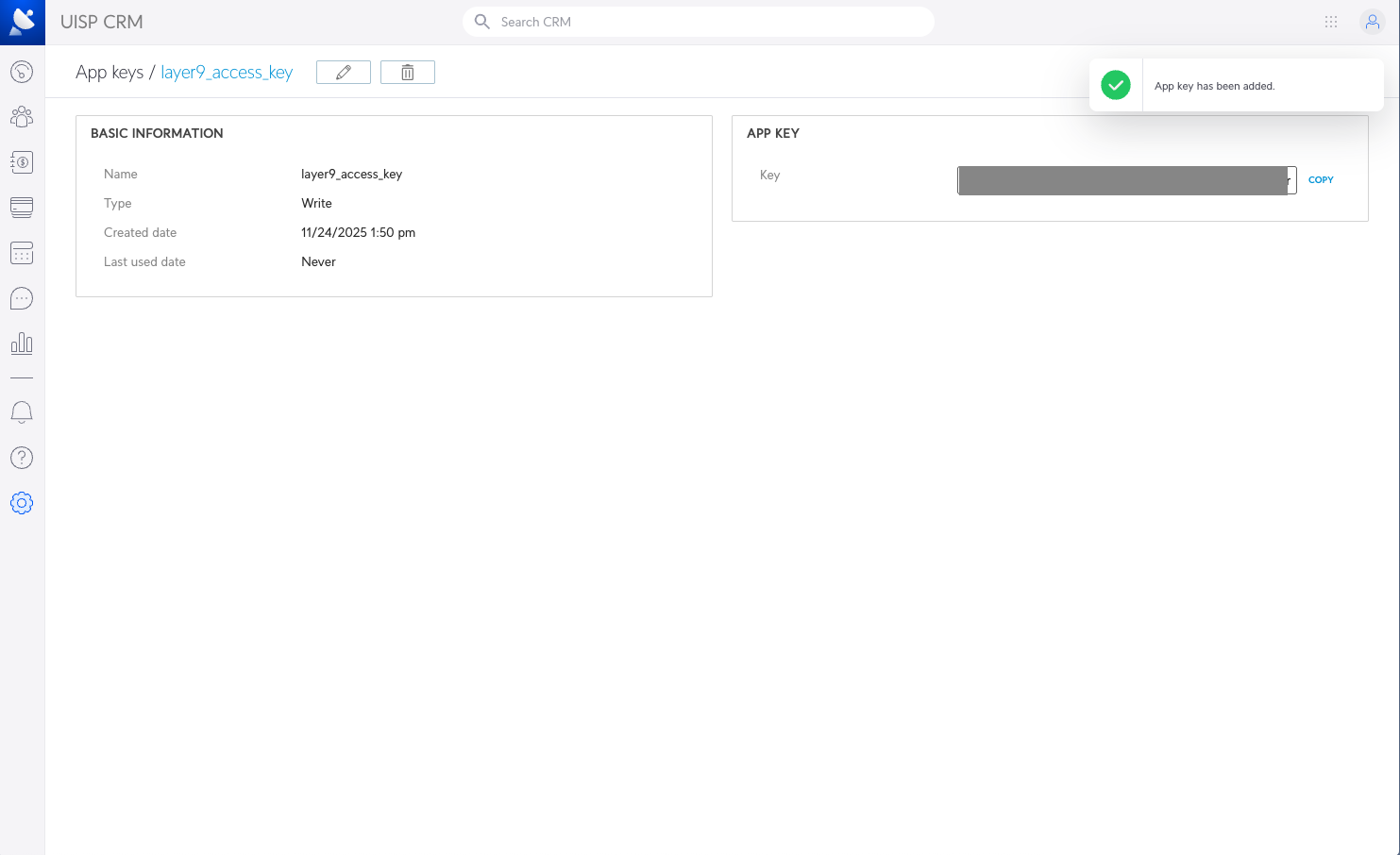
Step 5: Share Additional Information
Section titled “Step 5: Share Additional Information”In addition to the App key, please share:
- The URL you use to access the UISP CRM dashboard
- The type of deployment (self-hosted or cloud)